Bank Connect delivers a fine-grained entitlements engine that defines what permissions are granted to your company and each authorized user. These entitlements enforce access, payment limits, and drive workflows in the user experience at the company-level and at the user-level.
Navigate to Bank Connect→Bank Connect Setup→Activation.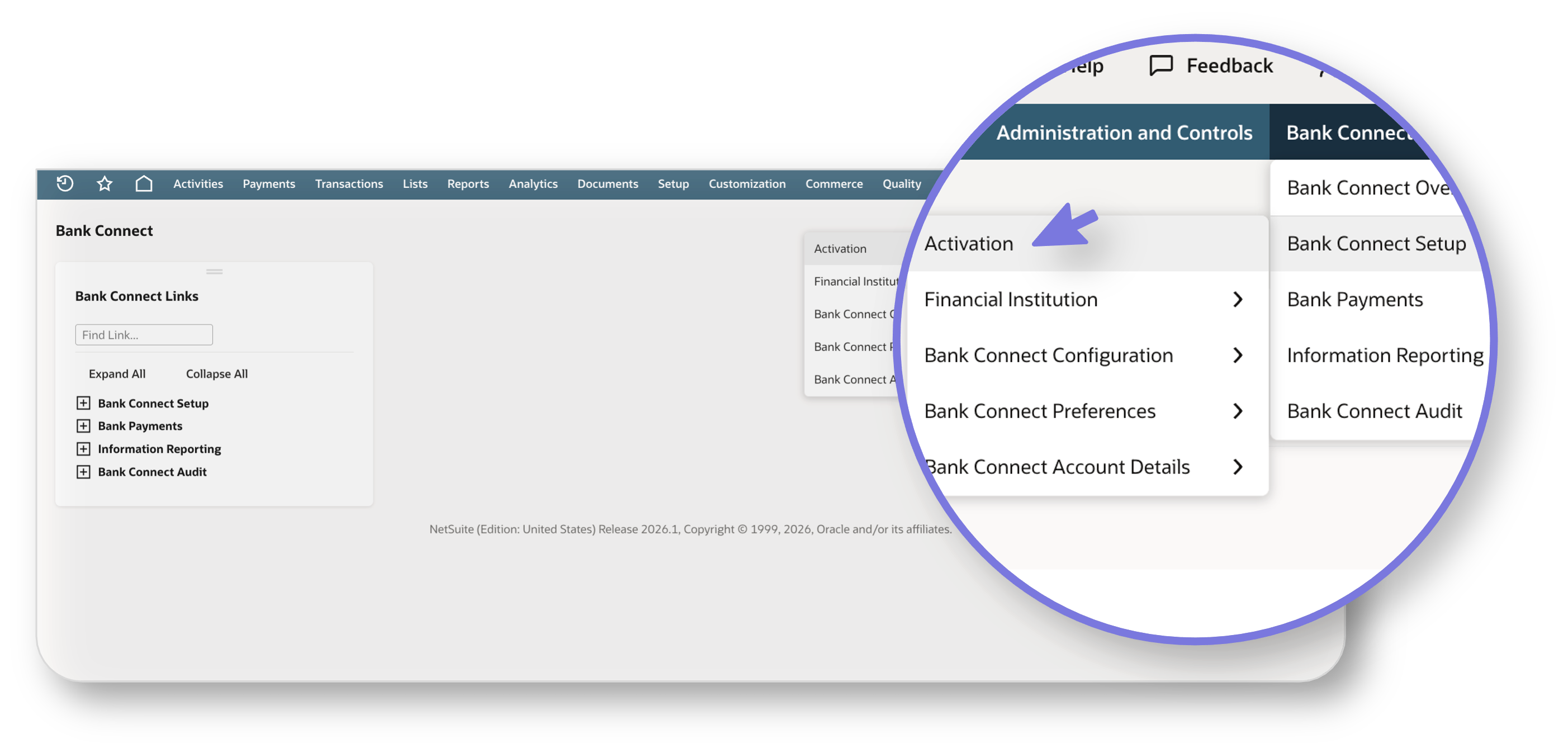
Bank Accounts vs Payment Policies
There are two views you can use to navigate your entitlements: Bank Accounts and Payment Policies.
Bank Accounts
The Bank Accounts tab displays all linked accounts. These accounts are linked by Admins during the Company Activation process. Each account may be entitled for payments, information reporting (IR), or both. If you’re managing a large number of accounts or users, use the filter options to quickly narrow down and locate the information you need.
- You can filter by specific accounts, enrolled accounts, and linked accounts.
Payment Policies
The Payment Policies tab displays payment accounts along with their Approval Limits for one or more users, categorized by payment type. Accounts designated for reporting only will not show approval limits.
- You can filter by specific accounts, banks, enrolled users, and linked users.
Approval Limits
Each user may have different approval limits by account and payment type.
For example:
-
Camellia can submit and approve ACH payments with no limit for accounts
4653and9768. - Edward can only submit ACH payments with no limit for accounts
4653and9768. -
This means an ACH payment submitted from accounts
4653and9768will be available to Edward to submit and to Camellia to approve.